From Quill to Press How Johannes Gutenberg changed the way the world made books
JOHANNES GUTENBERGWillkommen! Come into my shop in Mainz. Before me, every book was copied by hand. Work through my shop in order — and by the end you will have printed a page of my Bible yourself.
The Old Way Quill, ink and a lot of practice
Before the press, every page of every book had to be written out by hand. A scribe could spend more than a year copying a single Bible — and every copy brought new mistakes.
GUTENBERGWatch the writer practice. Count how many times he dips his quill! Then click the button to hear what my old friend the scribe thinks.
BROTHER ANSELM, SCRIBEJohannes, I have copied the Psalms for eleven months. My hand cramps, my candle is out, and I still have Job to go.
GUTENBERGWhat if you wrote each letter only once — in metal — and used it again and again?
BROTHER ANSELMThen I would need a thousand little letters… and a very strong arm.
GUTENBERGThe letters I can cast. The strong arm is the press. Come — I'll show you.
Cast the Type One letter at a time — then used thousands of times
GUTENBERGClick each step to see how I make one metal letter.
Set the Type Type on your own keyboard (or click the letters) — up to 156 letters
GUTENBERGFind a favorite line from a Renaissance writer — or write your own message. Remember: type is set backwards, right to left, so it prints the right way around!
Gutenberg's Press Click the buttons in order
Print a Page of the Gutenberg Bible Mainz, about 1454 — click the steps in order
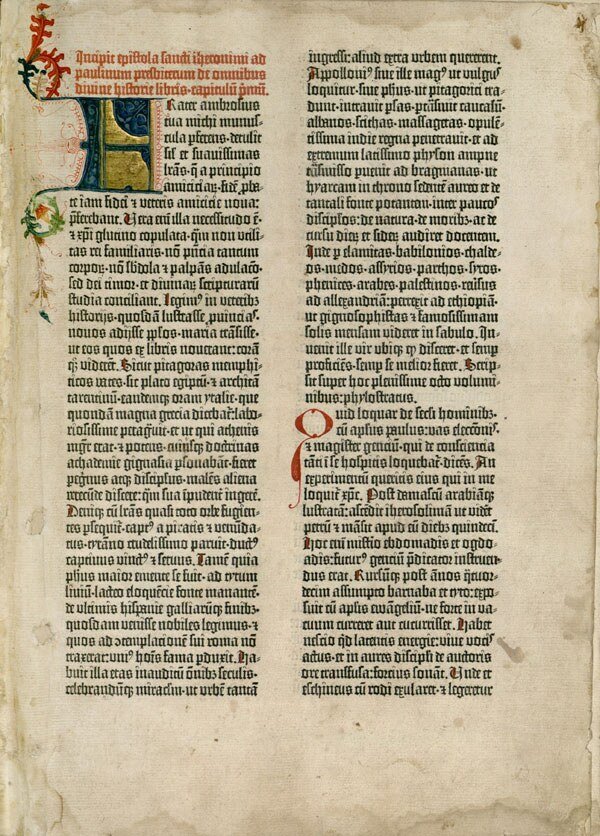
Lines set: 0 of 84 (two columns of 42)
GUTENBERGThis is my great work — the Bible, in Latin, two columns on every page. Let's make one page together.
Field Trip to Mainz, Germany Gutenberg's hometown on the Rhine
GUTENBERGClick a stop and I'll be your guide. Try the satellite view — then open Google Maps and drop into Street View!